Chuyển sang dùng absolute path như thế này để source code NodeJS trông gọn và đẹp hơn!
Bởi GET TIPS 200 OK•21 lượt xem•3 phút đọc
Bản dịch:
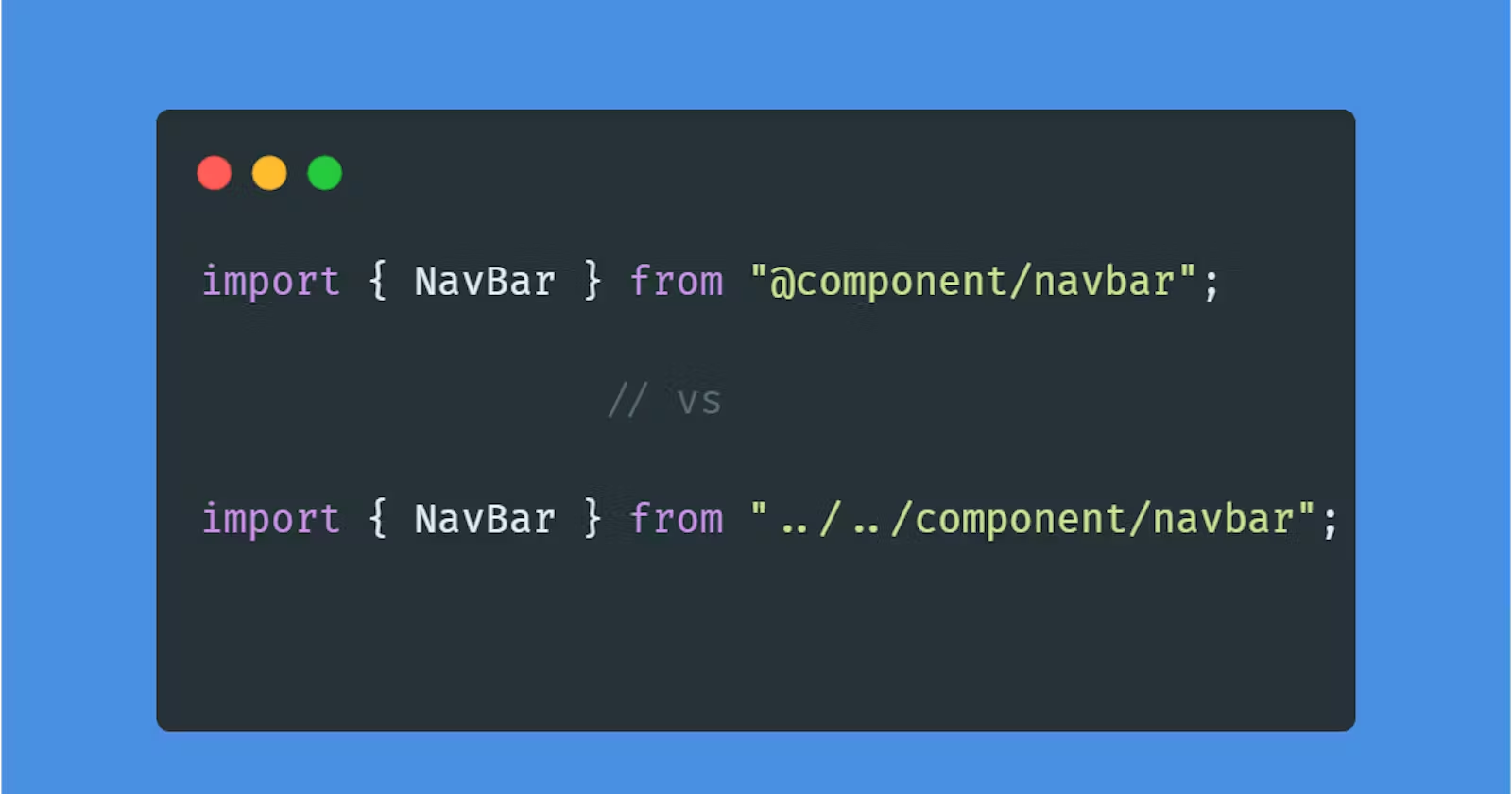
Absolute path là gì và tại sao lại dùng?
Nếu không sử dụng absolute path, thì path trong source code của bạn sẽ trông như thế này:
import { GetAllEmployeeDto } from '../../dto/employee/get-all.dto';
import { BaseController } from '../base.controller';
Rõ ràng, nếu source của bạn càng ngày càng phình to và càng phức tạp, các path này sẽ trở thành một mớ hỗn độn thực sự:
import { GetAllEmployeeDto } from '../../../../../dto/employee/get-all.dto';
import { BaseController } from '../../../../../base.controller';
import {JwtAuthenticate} from '../../../../util/jwt.authenticate.util'
import {prismaService} from '../../../../service/prisma.service'
import {EmployeeRepository} from '../../../../../../../../repository/employee.repository'
Giải pháp: đó là sử dụng absolute path, lúc đó các path của bạn sẽ trông như thế này:
import { BaseController } from '@/controller/base.controller';
import { GetAllEmployeeDto } from '@/dto/employee/get-all.dto';
import { jwtAuthenticate } from '@/middleware/jwt-authenticate';
import { GetByIdDto } from '@/dto/getById.dto';
import { CreateDto } from '@/dto/create.dto';
import { BaseLog } from '@/logging/BaseLog';
Quá gọn gàng và dễ nhìn.
Bắt đầu chuyển sang dùng absolute path
Chỉnh sửa lại file tsconfig.json Đây là file tsconfig.json lúc đầu của tôi:
{
  "compilerOptions": {
    "target": "es5",
    "lib": ["es6", "dom"],
    "module": "commonjs",
    "moduleResolution": "node",
    "experimentalDecorators": true,
    "emitDecoratorMetadata": true,
    "forceConsistentCasingInFileNames": true,
    "strict": true,
    "esModuleInterop":true,
    "outDir"    : "dist",
  },
  "include": [
    "src/**/*.ts"
],
"exclude": [
    "node_modules"
]

}
Các bạn hãy thêm dòng này vào "compilerOptions":
"baseUrl": ".",
"paths": {
    "@/*": ["src/*"]
}
Như thế này:
{
  "compilerOptions": {
    "target": "es5",
    "lib": ["es6", "dom"],
    "module": "commonjs",
    "moduleResolution": "node",
    "experimentalDecorators": true,
    "emitDecoratorMetadata": true,
    "forceConsistentCasingInFileNames": true,
    "strict": true,
    "esModuleInterop":true,
    "outDir"    : "dist",
    "baseUrl": ".",
    "paths": {
        "@/*": ["src/*"] //Ở đây có nghĩa là mọi đường dẫn bắt đầu từ "./src/...." thì sẽ được thay thành "@/..."
    }
  },
  "include": [
    "src/**/*.ts"
],
"exclude": [
    "node_modules"
]
}
Tiếp đến, ta cần chỉnh VSCODE cho nó tự động chọn kiểu đường dẫn là absolute path mỗi khi ta import. Các bạn vào setting của VSCode (phím tắt là Ctrl + ,), và tìm từ khóa sau: "typescript.preferences.importModuleSpecifier": "relative"
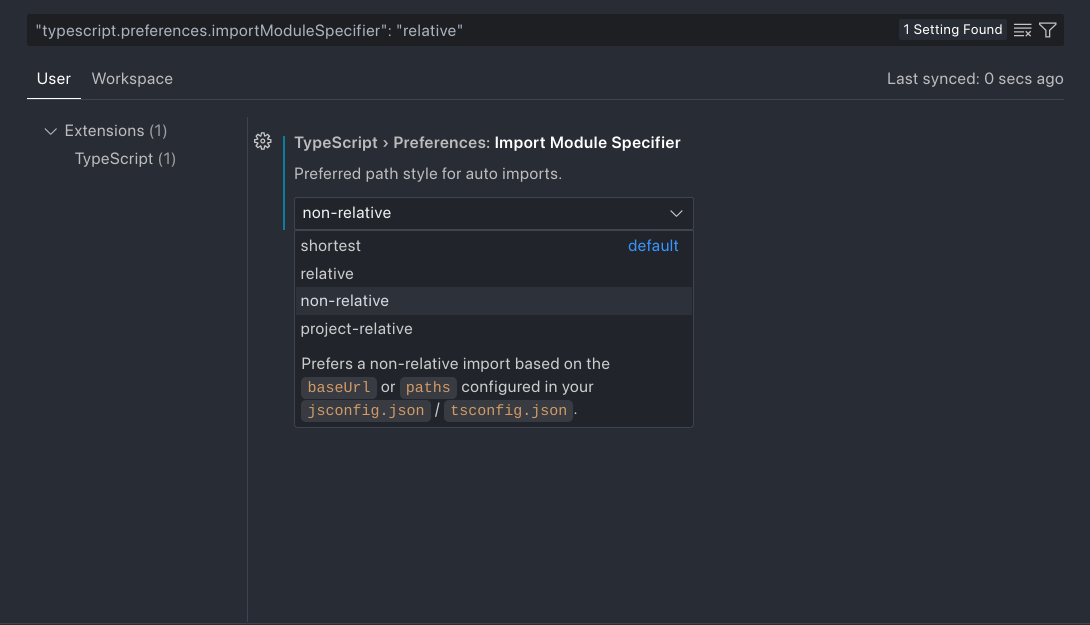 Hãy chỉnh qua non-relative như trên hình.
Đây là lúc đầu:
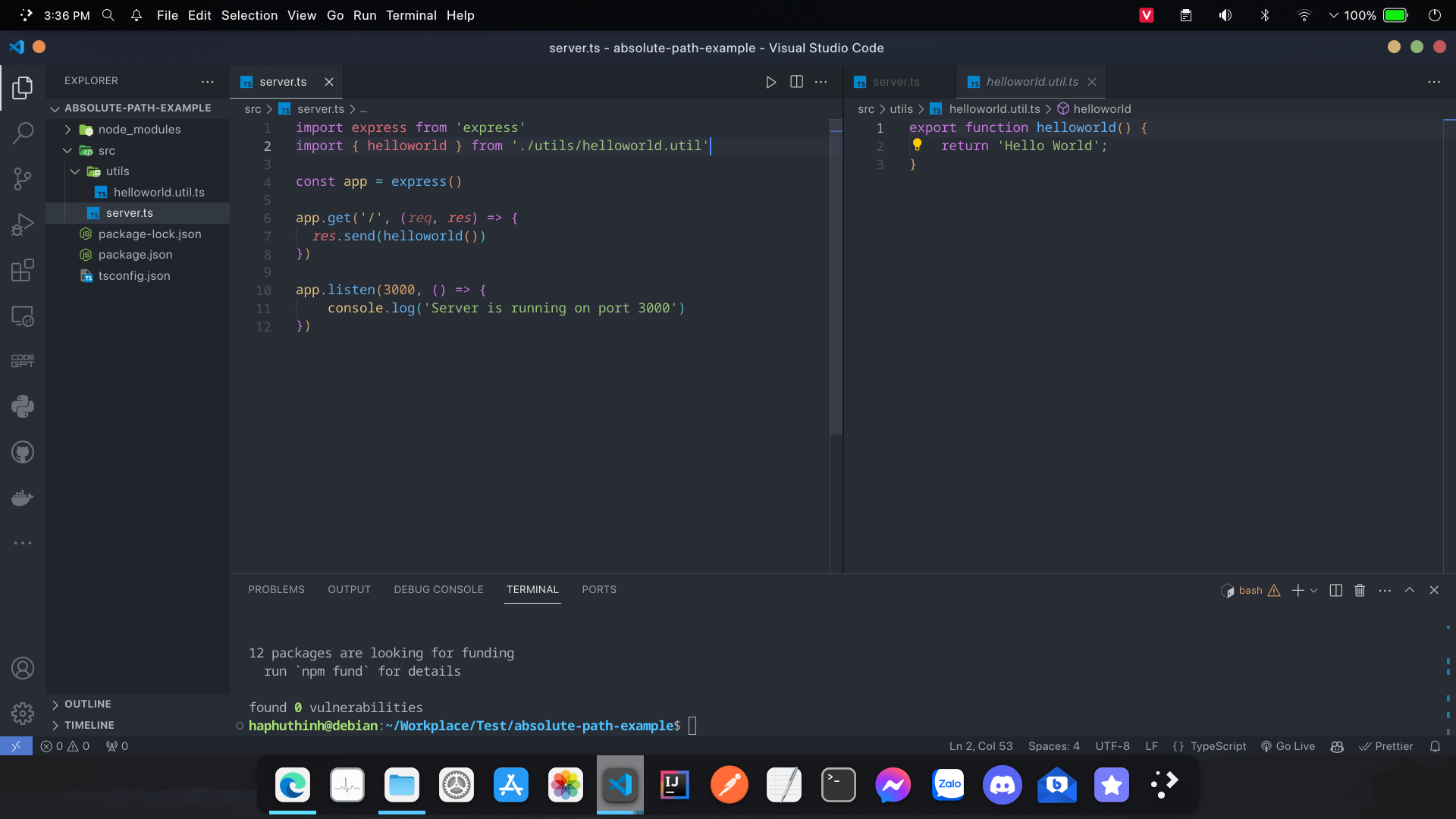
Giờ tôi sẽ xóa đi và import lại:

Tuy nhiên, nếu lúc này start server thì bạn sẽ gặp lỗi sau:
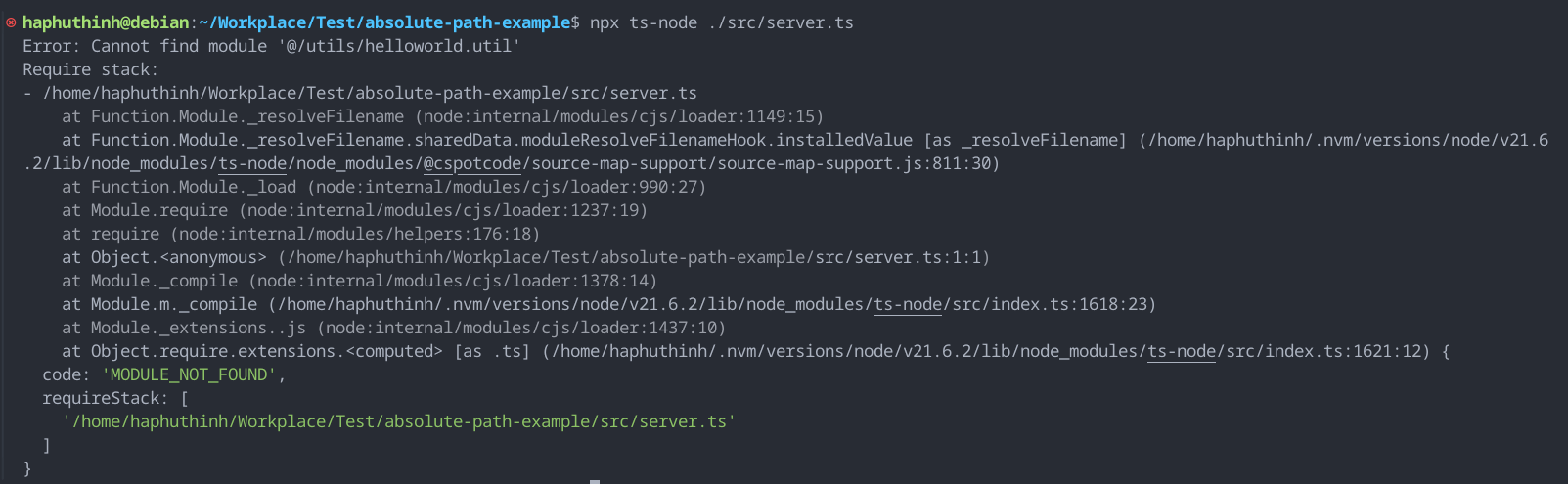
Vậy nên, ta phải cài thêm các package sau để typescript có thể hiểu absolute path rồi xuất được ra js: tsconfig-paths và tsc-alias
npm i tsconfig-paths
npm install --save-dev tsc-alias
Giờ, bạn hãy chỉnh script trong package.json thành:
  "scripts": {
    "build": "tsc && tsc-alias",
    "start:dev": "npx ts-node -r tsconfig-paths/register ./src/server.ts"
  },
- Ta phải thêm "-r tsconfig-paths/register" ở dev mode và "tsc-alias" ở build mode để resolve được absolute path.
Thử chạy development mode:
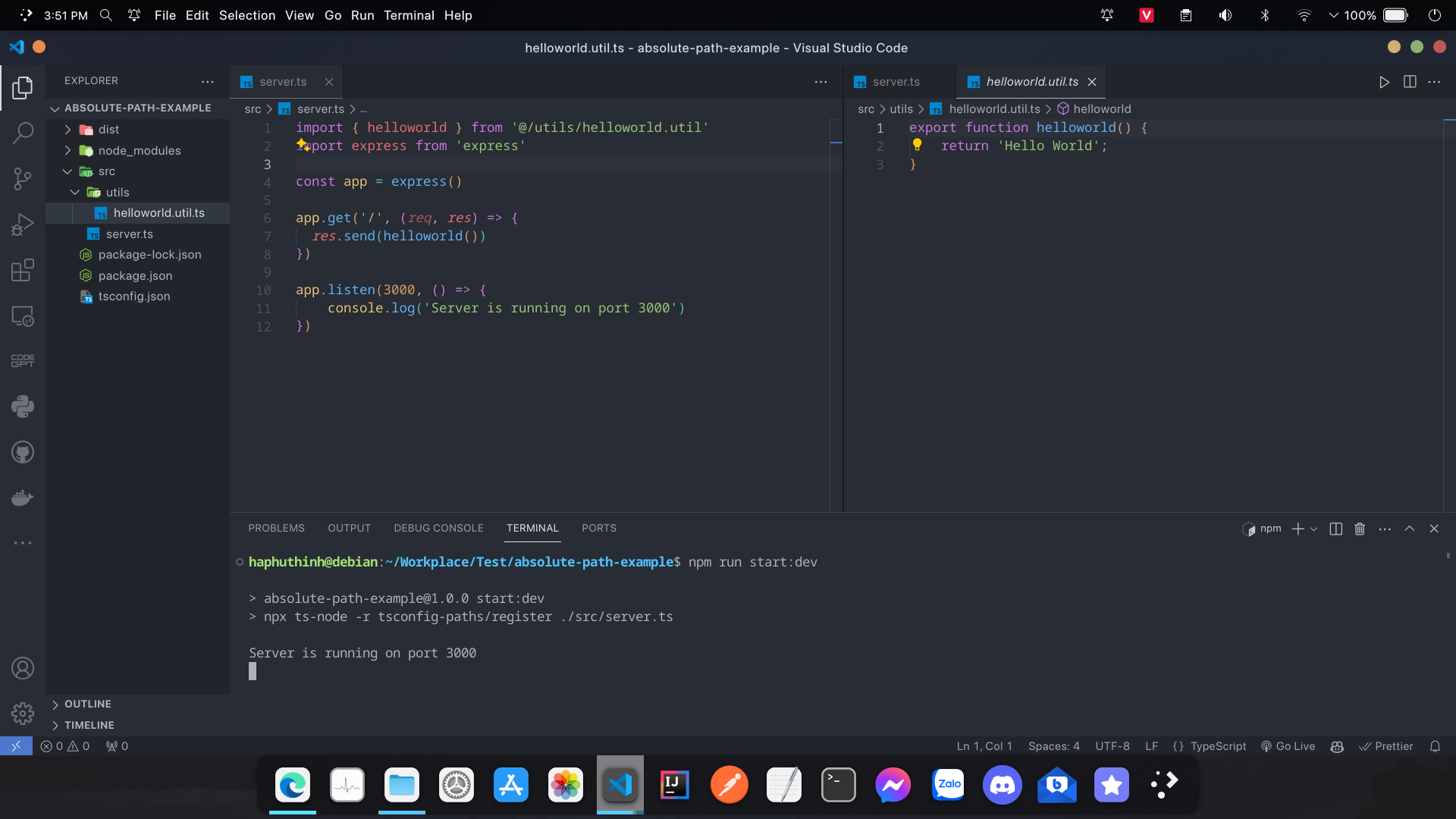
Thử build ra js:

Vậy là đã xong!
Đề xuất thông minh
Bài viết liên quan & Đề xuất cho bạn
Gợi ý dựa trên chuyên mục, nội dung tương tự và bài viết được độc giả quan tâm nhất